On this page
· 2 min read
Content Layer API
The blog-site intentionally wires createContentLayer from @pagesmith/site at the SSR entry so the example can stay on one package for content, JSX runtime, CSS, and SSG. That is the same content layer the pagesmithContent plugin uses internally; this example skips the plugin and calls the API directly.
Defining collections
Collections are defined when the layer is created (see buildLayer in src/content.ts):
import { resolve } from "path";import { createContentLayer, defineCollection, defineConfig, z } from "@pagesmith/site";function buildLayer(root?: string) { const contentRoot = root ? resolve(root) : resolve(import.meta.dirname, ".."); return createContentLayer( defineConfig({ root: contentRoot, collections: { guide: defineCollection({ loader: "markdown", directory: resolve(contentRoot, "content/guide"), schema: z.object({ title: z.string(), description: z.string().optional(), date: z.coerce.date(), tags: z.array(z.string()).default([]), series: z.string().optional(), seriesOrder: z.number().optional(), }), }), pages: defineCollection({ loader: "markdown", directory: resolve(contentRoot, "content/pages"), schema: z.object({ title: z.string(), description: z.string().optional(), }), }), }, }), );}Loading and rendering entries
getCollection returns ContentEntry values with validated data and a lazy render() method. That is the supported seam for Markdown in this example: it runs the shared pipeline and returns { html, headings, readTime }.
const entries = await layer.getCollection("guide");for (const entry of entries) { const rendered = await entry.render(); // rendered.html, rendered.headings, rendered.readTime}For ad-hoc strings (not collection files), the package also exposes processMarkdown / convert — this site does not need them because every page comes from the filesystem collections above.
Local assets beside markdown
Pagesmith resolves sibling assets from the markdown file path, so regular relative images work without extra configuration:
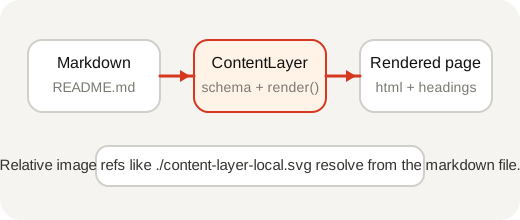
That same rule is why folder-based entries are recommended when a page has companion screenshots or diagrams.
For the canonical JPEG <picture> fallback and intrinsic-dimension examples, see the root docs page at /guide/markdown-features/.
Comparison with virtual modules
Virtual modules (pagesmithContent) |
Direct API (createContentLayer) |
|---|---|
Collections defined in content.config.ts |
Collections defined inline in the SSR entry |
Imported via virtual:content/guide |
Loaded via layer.getCollection('guide') |
| Markdown resolved through the plugin graph | Markdown resolved when you await entry.render() |
| Type declarations auto-generated | Types inferred from your Zod schemas |
Requires the pagesmithContent plugin |
No content plugin — only pagesmithSsg |
Both paths share the same markdown implementation once content is rendered.