Automatic Collection Discovery
Unlike the other examples in this repo, which keep an explicit content.config.ts or .mjs built on @pagesmith/site (or on @pagesmith/core for headless-only integrations) and then layer framework rendering on top, @pagesmith/docs discovers “collections” implicitly from the docs directory tree. There is no separate collection registration file in this workflow — the filesystem layout is the source of truth, and the docs build maps folders to routes and sidebars. The default convention is docs/ at the repo root, with content/ as the fallback when you choose a different explicit setup like this example.
Each top-level folder becomes a section with its own header/sidebar navigation:
| Folder | Route | Navigation |
|---|---|---|
content/guide/ |
/guide/* |
Guide section |
content/guide/kitchen-sink.md |
/guide/kitchen-sink |
Single markdown regression page inside the Guide |
Nested markdown files stay in the same top-level section even when their URLs are deeper, and the section sidebar stays flat from the reader’s perspective. Files or folders starting with . or _ are ignored during discovery.
Frontmatter Schema
All pages share a common frontmatter schema:
---title: Page Titledescription: Optional descriptionpublishedDate: 2026-03-18T00:00:00.000ZlastUpdatedOn: 2026-03-18T00:00:00.000Ztags: [tag1, tag2]draft: falselayout: page---The layout field is optional — pages use the section’s default layout, which can be configured in meta.json5 or the site config. When you do set it, use the registered layout key from theme.layouts (for this example, keys like page and home), not the component filename.
Local assets beside docs pages
Docs pages can keep companion images next to the markdown file and reference them with normal relative URLs:
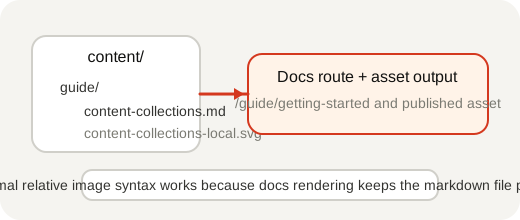
The docs build publishes that asset with the page while keeping the markdown source filesystem-first.
For the canonical JPEG <picture> fallback and intrinsic-dimension examples, see the root docs page at /guide/markdown-features/.
Section Metadata
Each section can include a meta.json5 file for ordering and series grouping:
{ displayName: "Guide", orderBy: "manual", series: [ { slug: "getting-started", displayName: "Getting Started", articles: ["installation", "project-structure"], }, ],}When a section defines series, any pages not referenced by a series remain visible under an automatic Miscellaneous group instead of disappearing from the sidebar.